MediaDB

MediaDB

MediaDB je nevyhnutný nástroj pre malé postprodukčné štúdiá a freelancerov, ktorí pracujú s veľkým množstvom pevných diskov a iných nosičov. Aplikácia pomáha vytvoriť databázu všetkých používaných pevných diskov a súborov. Umožňuje vyhľadávať súbory a prechádzať adresárovú štruktúru, aj keď sú disky offline. MediaDB možno použiť aj na vytvorenie súboru RCP pre DaVinci Resolve z EDL počas konformovania filmu.
Funkcie

  • Manage hard drives and discs offline
  • Index files like source material, archive footage and more
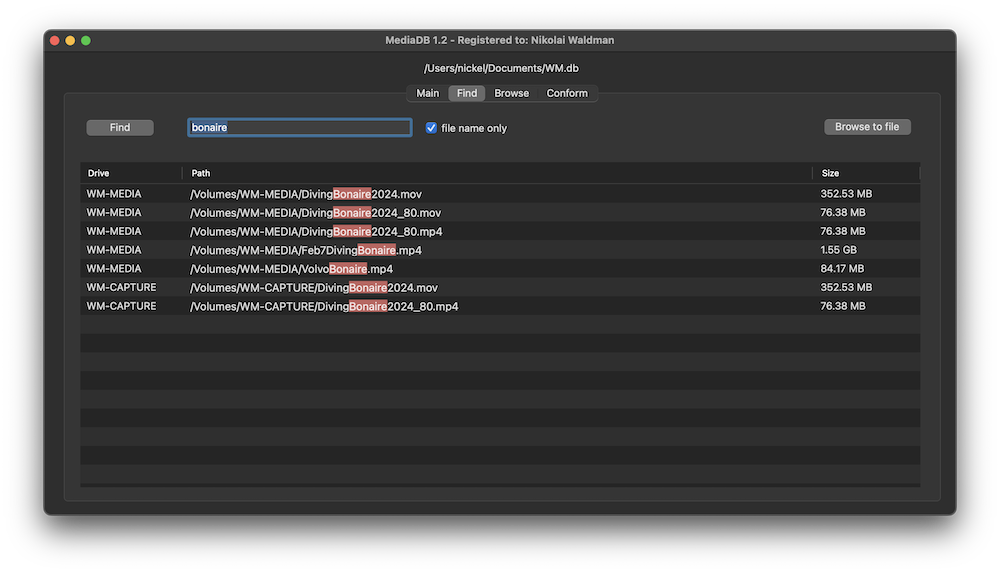
  • Search for files without connecting a drive
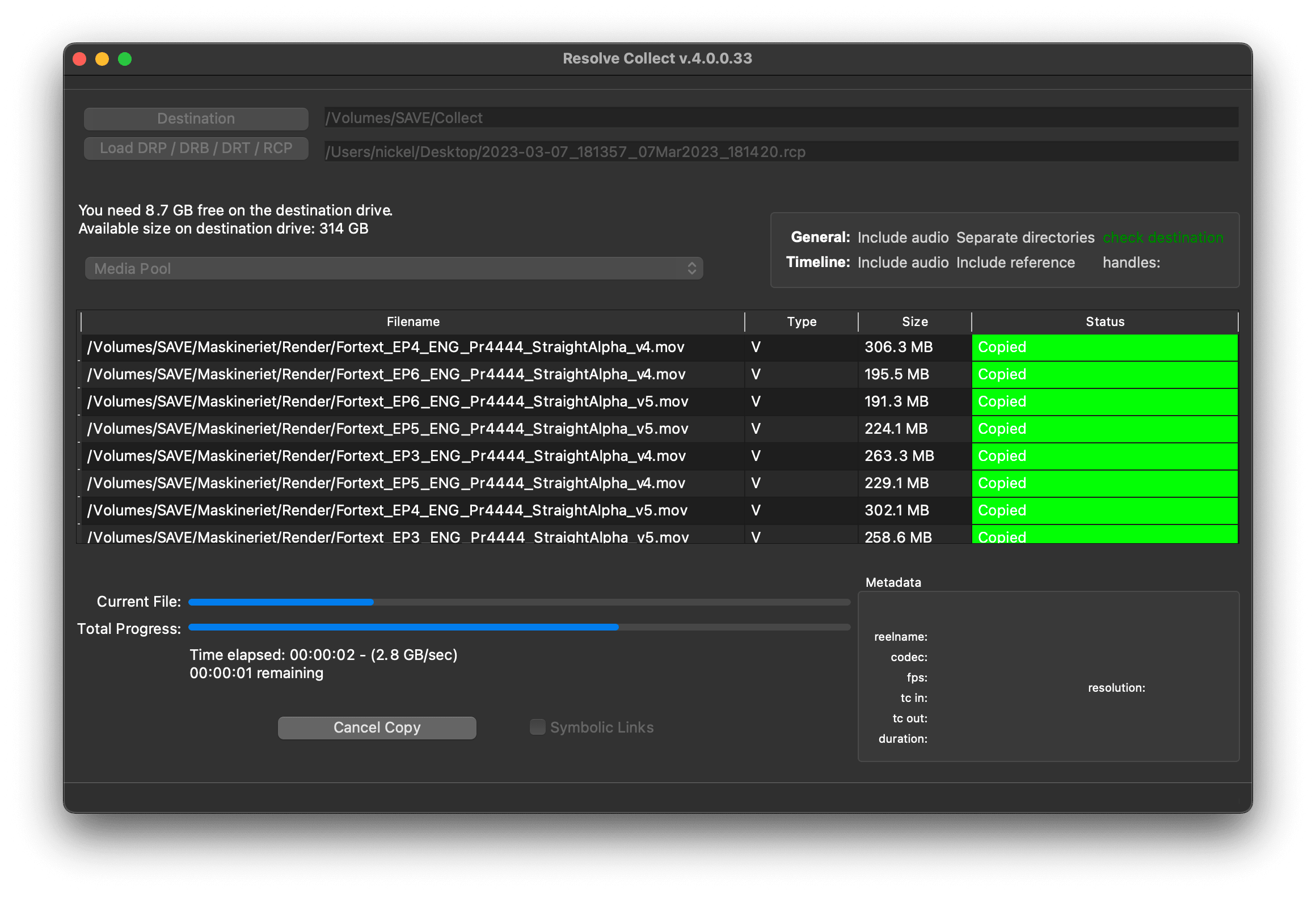
  • Create RCP files with EDL for Resolve Collect

The perfect tool to manage a huge archive of drives in small post-production studios or for freelancers.

The demo version allows to scan the first 50 files on each drive.

Requires macOS 11.5 or later

Manage hard drives and disc archives easily.

Index Drives

Scans the hard drives and add them it to the database. Make sure every drive has a unique name. If you add or remove files from the drive you can scan it again and the database will be updated.


Search files without the drive

Use MediaDB to find a file when you need it without connecting any drives to your computer.

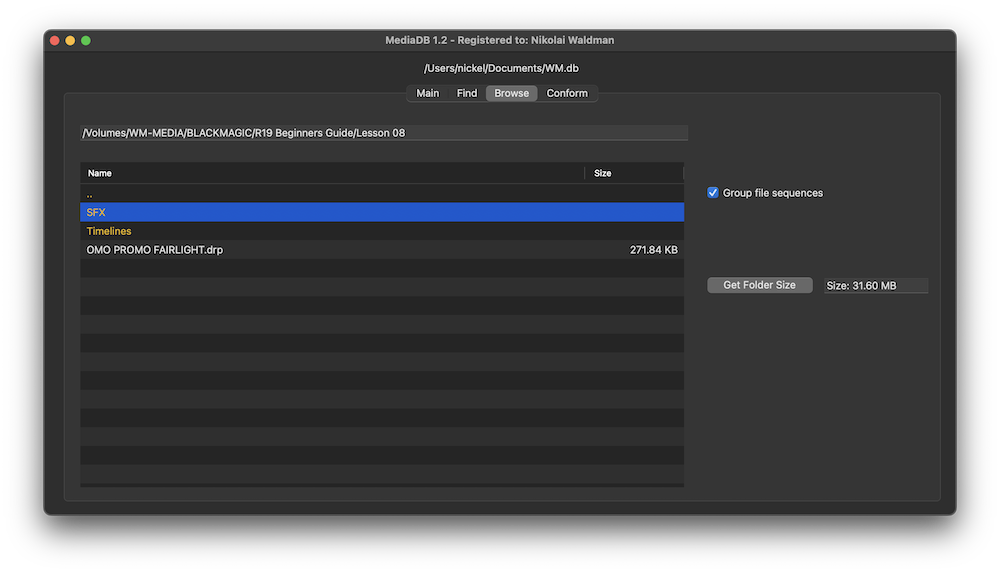
Group file sequences

When selected, each file sequence will be presented in the format filename[start-end].extension


Get Folder Size

Select a folder and press the “Get Folder Size” button to calculate the size of all folders and files recursively.

Conform

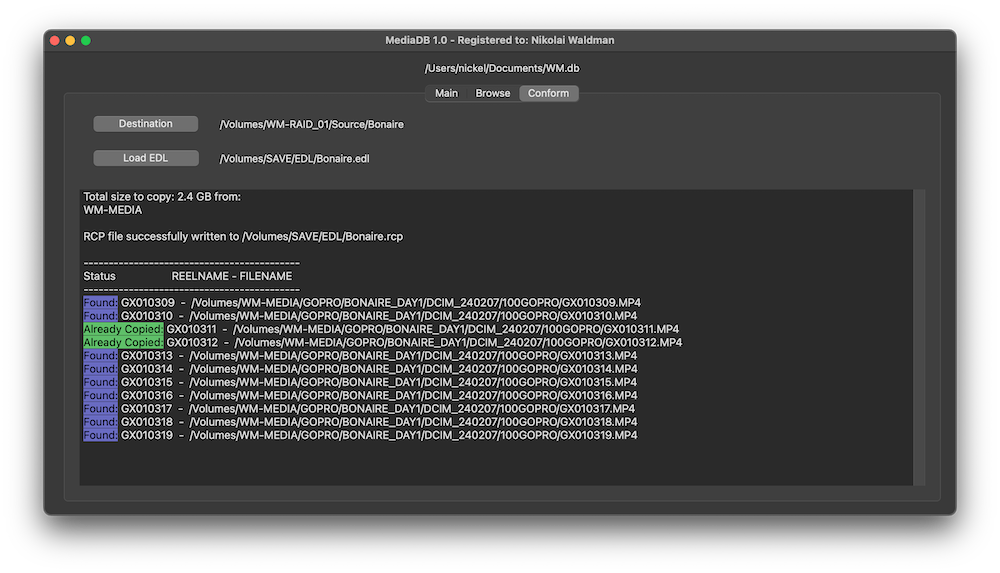
Import an EDL from any NLE with full reel names (e.g. File_129), and MediaDB will find the files and tell on which drives they are on. It will also create an RCP file, which you can then use with Resolve Collect to copy all the files.

Use cases of MediaDB

Film Editors working on multiple projects often need to use multiple discs to store source footage and other assets. Rather than connecting hard drives to the computer and trying to find the correct file, MediaDB can easily locate the file. A quick search in the app is enough to find the necessary file and locate the correct disc. This is especially useful if the archive includes SD cards, USB sticks, and other virtual drives.

Vyberte si licenciu

We offer three types of licenses. The single-user license is ideal for freelancers who want to use the software on one or two computers. This license is tied to a single account. For companies, we offer a team license, which is bound to the company. The number of licenses can be chosen upon purchase, with a minimum of three licenses. We also offer an enterprise option. Please contact our sales team for more information. All licenses are perpetual.

Pred nákupom sa odporúčame prihlásiť, aby ste mali jednoduchý prístup k budúcim aktualizáciám pluginu.
Licencia pre jedného používateľa
loading...
Team License (3+ users)
loading...
Ohľadom licencie Enterprise kontaktujte, prosím, náš obchodný tím.

Poznámka: Samotný zásuvný modul je v súčasnosti k dispozícii len v angličtine.

Budete presmerovaní do zabezpečenej pokladne „Paddle“. Paddle.com je Merchant of Record.

Reverse charge: Ak nakupujete pre spoločnosť a máte IČ DPH, v niektorých krajinách môžete využiť režim prenesenia daňovej povinnosti (reverse charge). Na stránke pokladne kliknite vľavo na "Add VAT ID" po výbere krajiny a PSČ.

Bundle

Resolve Collect and MediaDB

25% off
Pred nákupom sa odporúčame prihlásiť, aby ste mali jednoduchý prístup k budúcim aktualizáciám pluginu.

Podpora

Ak máte akékoľvek otázky alebo požiadavky na funkcie, kontaktujte náš tím podpory. Radi vám pomôžeme!

ČASTO KLADENÉ OTÁZKY

Po stiahnutí rozbaľte súbor zip a spustite súbor .pkg. Potom jednoducho postupujte podľa sprievodcu inštaláciou.

From the app menu, select File > Register. Enter your license key in the "Key" field.

To remove a license from a device, choose File > Register from the app menu. Click on "Remove License".

You can save the database file to a server and connect to it there. However, be aware that the connection speed will be much slower. For the best speed, it’s better to have one master database file that you distribute to all the machines that need to access it.

Áno, ak sú k dispozícii aktualizácie, môžete si ich bezplatne stiahnuť.

Nie, táto aplikácia funguje offline a nezdieľa žiadne údaje o vašom projekte online.

Táto aplikácia je podporovaná len v systéme macOS.

Súbor .app môžete jednoducho odstrániť z počítača.

Ak potrebujete funkciu aplikácie, novú možnosť alebo vlastnú verziu, pošlite nám správu. Poskytujeme riešenia na mieru pre vaše podnikanie.

Nikolai Waldman leads development for this app, which is published and distributed via EditingTools.io.