Hudba Cue Sheet

Generujte čistý hudobný záznamový hárok s časovými kódmi, trvaním a metadátami skladby zo sekvencie úprav. Nahrajte súbor XML alebo EDL a vygenerujte CSV, XLSX, PDF, TXT alebo iné formáty, ktoré môžete použiť v programoch Google Sheets, Microsoft Excel, Apple Numbers a podobných.

Framerate
Export
Prednastavenia
Warning! This preset only works for XLSX (Excel) exports.
Frame handles

Choose the music libraries that you want to check for more metadata:


prebieha...

We created this tool to save you time!

30.000+

cue sheets created

1.500.000+

audio clips processed

15.000.000+

track metadata records

Čo tento nástroj robí?

Generátor nápovedných hárkov rýchlo vygeneruje jednoduchý zoznam všetkých hudobných stôp použitých vo vašom projekte. Nástroj dokáže čítať sekvencie z aplikácií Media Composer, Premiere Pro, Resolve a Final Cut Pro. Zlúči viacero stôp a odstráni neviditeľné strihy, aby ste mali čistý zoznam. Na základe názvov súborov možno do zoznamu cue automaticky pridať aj metadáta pre hudobné stopy, ak pochádzajú z niektorej z našich partnerských knižníc. Export je možné prispôsobiť pomocou predvolieb a exportovať do mnohých rôznych formátov vrátane CSV, XLSX a PDF.

Aké formáty súborov môžem nahrať?

  • EDL - Edit Decision List (.edl)
  • XML - Final Cut 7 XML (.xml)
  • XML - Extensible Markup Language (.xml) (Avid Media Composer)
  • TXT - Avid Pro Tools TXT -> Informácie o relácii ako text (.txt)
  • FCPXML - Final Cut Pro X (.fcpxml)
  • CSV (comma or semicolon separated) (.csv)
  • AAF - Advanced Authoring Format (.aaf) → only in our Cue Sheet Manager for Pro Users

Scan production music libraries for metadata

By partnering with over 20 production music libraries, the tool is able to automatically pull metadata for tracks from these libraries. The metadata contains not only the track name and artist but also details about the label, publisher, composer details, and shares. Please note that the available metadata depends on the library.

Pozrite si hudbu z knižníc, ktoré s nami spolupracujú, a uľahčite si prácu použitím skladieb z týchto knižníc.


Chýba vám knižnica alebo pracujete pre hudobnú knižnicu? Kontaktujte nás a staňte sa partnerom, aby vaši zákazníci mohli využívať náš nástroj. Stať sa partnerom je jednoduchý a priamočiary proces.

Metadáta sa pridajú pomocou názvov súborov. Aby ste mali istotu, že budú rozpoznané všetky skladby, nemali by ste po stiahnutí súbory premenovávať. Za správnosť údajov nenesieme žiadnu právnu zodpovednosť. Správnosť cue listu ste povinní skontrolovať sami.
The workflow in detail

Learn how this cue sheet tool works.

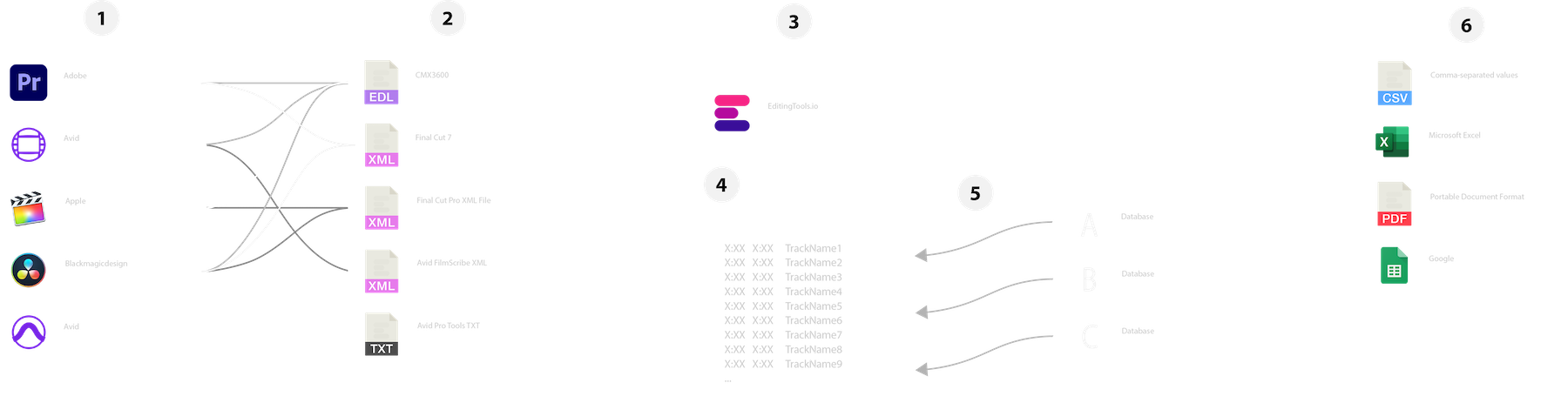
There are 6 simple steps you can follow to get the best workflow results:

  1. Prepare the sequence for which you want to create a cue sheet. It is best to make a copy and clean up the tracks, removing clips that do not belong there. It is a good idea to collect all the cues on 2 or 3 tracks and export only those tracks.
  2. Depending on the software you are using, you can export an EDL, XML or ProTools Session TXT. If you are using Adobe Premiere Pro or DaVinci Resolve, we recommend that you export a Final Cut 7 XML.
  3. Upload your sequence to our Music Cue Sheet Tool and choose your desired settings. The tool will analyze your sequence and create a sorted track list.
  4. The track list calculates the duration of each clip. Depending on your settings, similar clips are grouped together.
  5. If you enable the "Include metadata from music libraries" option and select the libraries from which you used music, the tool will check for additional metadata in those libraries. The information is pulled from data provided directly by our library partners via API or shared database. This includes information about the music album, the composer and artist up to library codes and label names.
  6. Once all the information is collected, it is exported to the file format of your choice. The recommended export format is CSV, which contains all the data you need and can be easily edited using Excel, Numbers, or Google Sheets.

Pripravte si sekvenciu

Pred nahratím sekvencie sa odporúča vykonať jej rýchlu prípravu. Najlepšie to urobíte tak, že svoju sekvenciu zduplikujete a odstránite všetky nepotrebné zvukové a obrazové stopy, ktoré nechcete mať vo svojej cue sheet. Je tiež dôležité vyrovnať všetky stopy v prípade, že používate zabalené/vložené zvukové klipy. Taktiež odstráňte "Efekty zvukových prechodov" v prípade, že nástroj zlyhá.

Zlúčenie prekrývajúcich sa rovnakých klipov

Ak je táto možnosť zapnutá, klipy, ktoré sú v sekvencii rozrezané na viac častí, sa automaticky spoja do jedného záznamu, pokiaľ medzi nimi nie je žiadna prestávka. Ak nástroj nájde rovnaký klip na viacerých stopách, tiež sa zlúčia a zobrazia ako jeden záznam.

Pomocou úchytov rámov vyhľadajte a zlúčte rovnaké klipy

Túto možnosť použite na spojenie klipov, aj keď je medzi nimi medzera. Môžete definovať rozsah 1 až 500 snímok, ktoré sa majú pokryť. Ak nástroj nájde rovnaký klip na viacerých stopách, tiež sa spoja a zobrazia ako jeden záznam.

Prednastavenia

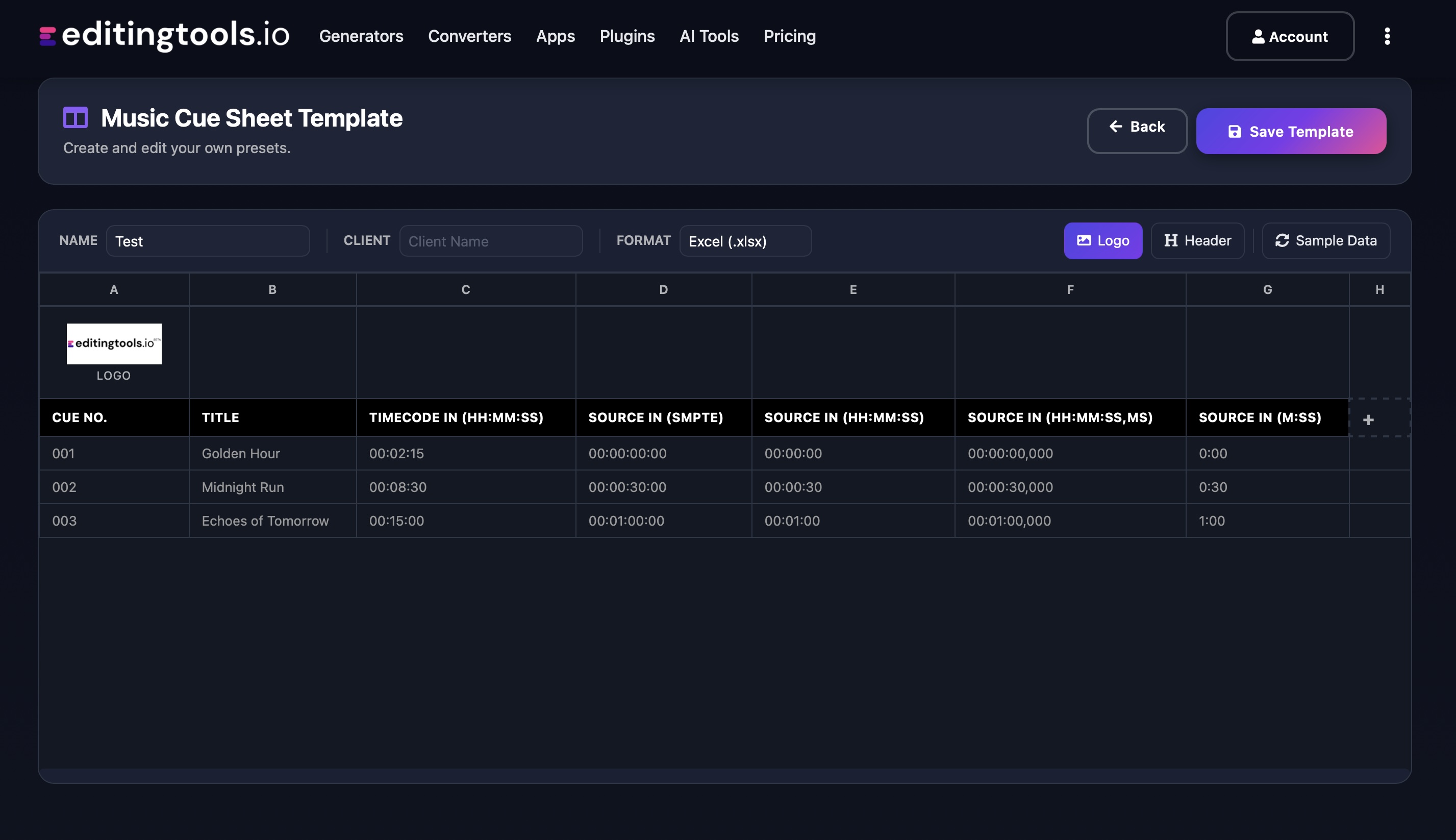
Stĺpce v exportných súboroch môžete prispôsobiť. Vyberte si z niekoľkých verejných šablón alebo stlačte znak "+" a vytvorte si vlastnú predvoľbu. Existuje nespočetné množstvo možností zobrazenia časových kódov, dĺžok a jednotlivých metadát. Ak chcete uložiť predvoľby, musíte byť prihlásení.

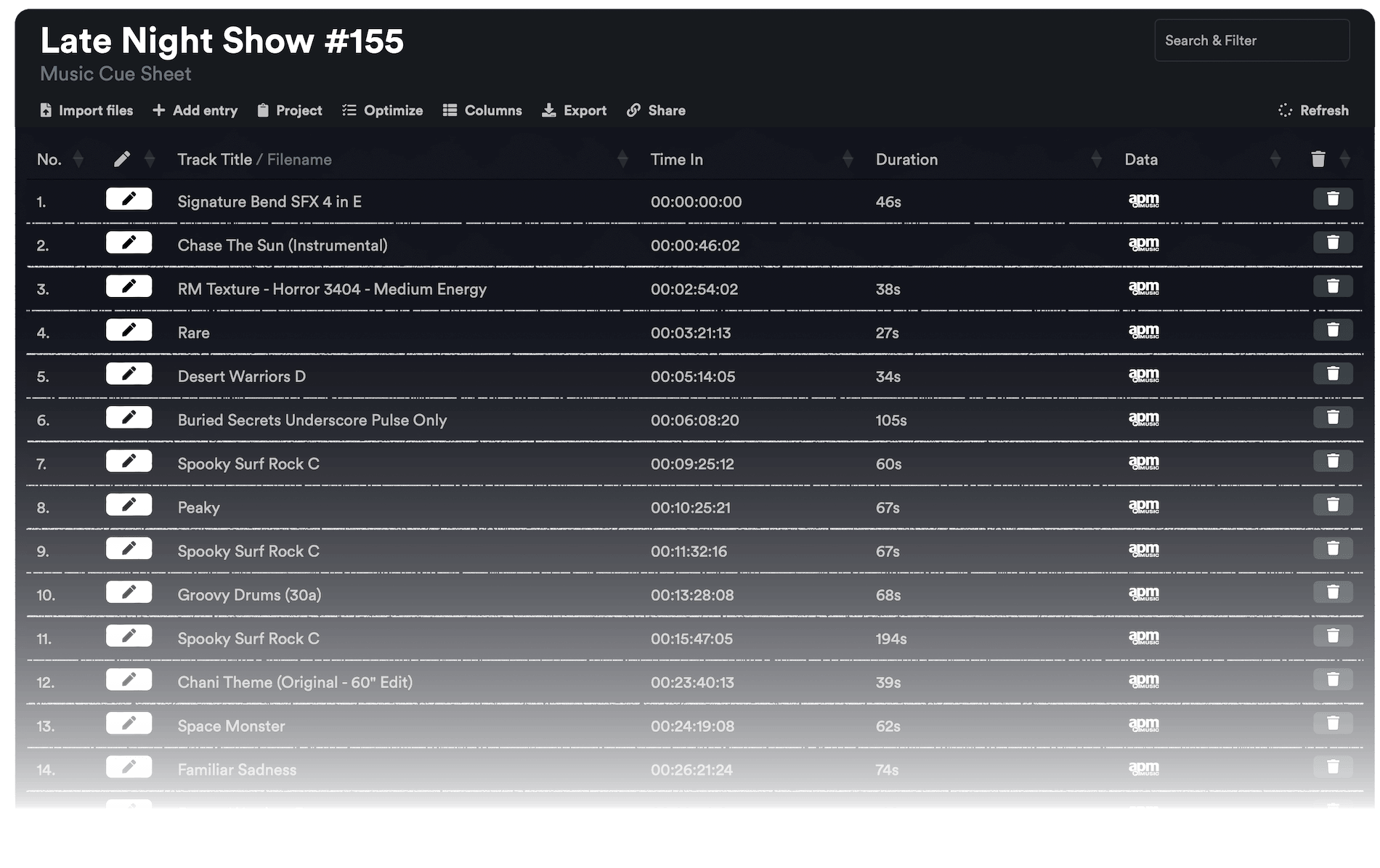
Need more? Check out our Music Cue Sheet Manager.

Key Features

  • Compatible with Media Composer, Pro Tools, Premiere Pro, Resolve, FCP and other editing software.
  • Merge tracks and remove invisible cuts automatically
  • Auto-fill metadata for over 15M+ tracks from 20+ partner libraries
  • Build and integrate your own metadata database
  • Customizable exports (CSV, Excel, CISAC & APRA)

Add metadata to your personal EditingTools database or library

Our tool supports a list of default values that can be added to the search database, which are explained below. Not all values are mandatory. Additional columns are possible.

NameTypeDescription
file_nameString (max. 200 characters)Filename up to 200 characters. If a filename is longer, it is truncated. If there are several variations of a file name, they can be listed in a column file_name_2, file_name_3, ...
track_titleString (max. 200 characters)Name of track
track_numberIntTrack number within the album.
track_durationIntTrack duration in seconds.
track_codeString (max. 100 characters)Optional track code (can include numbers and letters).
track_idIntA unique database track ID, must be numeric. Optional.
artistString (max. 200 characters)This is an optional artist name. If this value is empty, most cue sheets will automatically use the composer's values.
composerString (max. 200 characters)Composer Name. Multiple composers can be separated by a semicolon, e.g. "John Doe; John Smith".
composer_societyString (max. 200 characters)Name of the Composer Society. If a track has multiple composers, use semicolons to separate the societies.
composer_numberString (max. 200 characters)Number of the Composer. If a track has multiple composers, use semicolons to separate the number.
composer_shareString (max. 200 characters)Share of the Composer. If a track has multiple composers, use semicolons to separate the shares. Value between 1 and 100.
ownerString (max. 200 characters)
publisher
publisher_name
String (max. 200 characters)Publisher Name. Multiple publishers can be separated by a semicolon, e.g. "Pub1;Pub2".
publisher_societyString (max. 200 characters)Name of the Publisher Society. If a track has multiple publishers, use semicolons to separate the societies.
publisher_numberString (max. 200 characters)Number of the Publisher. If a track has multiple publishers, use semicolons to separate the number.
album_titleString (max. 200 characters)
album_catalog_numberInt
album_catalog_codeString (max. 200 characters)
album_release_dateDate (YYYY-MM-DD)Album release date. Leave blank if unknown.
album_disk_numberIntOptional disk number of the album.
album_total_discsString (max. 200 characters)Total number of disks in an album.
label_nameString (max. 200 characters)Name of the label.
label_codeIntLabel code, without "LC".
isrcString (max. 100 characters)
iswcString (max. 100 characters)
eanString (max. 100 characters)
upcString (max. 100 characters)
gemaString (max. 100 characters)
catalog_nameString (max. 200 characters)Name of the catalog/library the track is in.
bpmInt
genreString (max. 200 characters)

Rýchle príručky

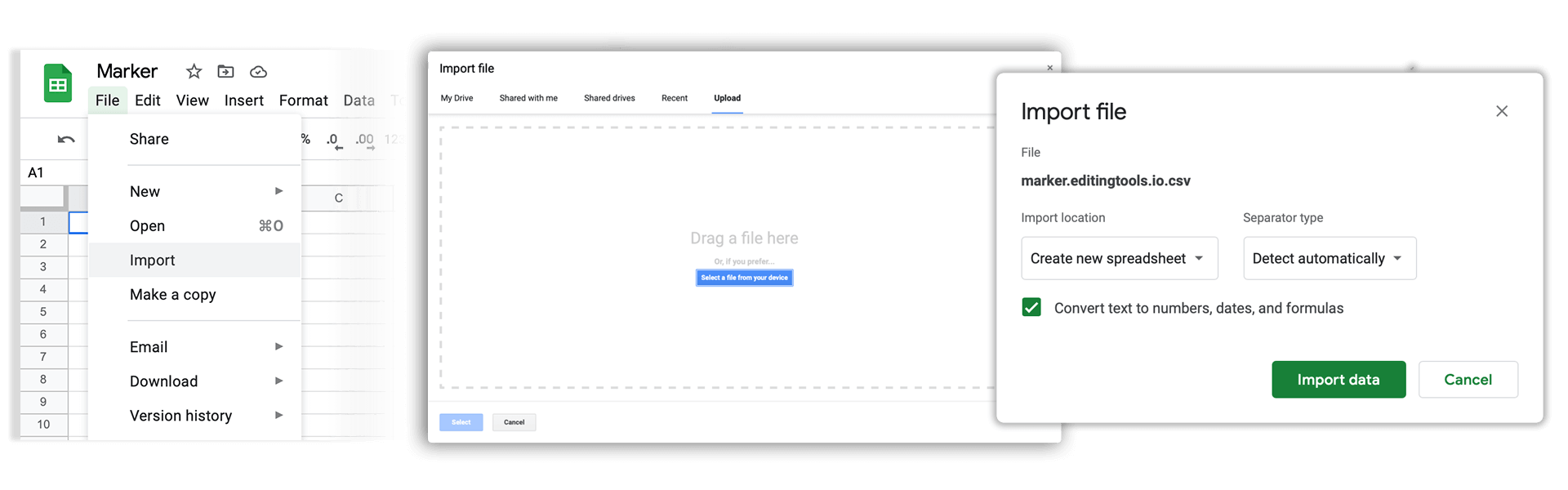
How do I import a csv file into Google Sheets?

Open Google Sheets and go to "File → Import". Upload the generated CSV file and press "Import Data" to generate a Sheet.

How do I import a csv file into Apple Numbers?

Open Numbers and go to "File → Open". Simply open the CSV file.

Podpora

Ak máte akékoľvek otázky alebo požiadavky na funkcie, kontaktujte náš tím podpory. Radi vám pomôžeme!

ČASTO KLADENÉ OTÁZKY

No, you still need to send out the final cue sheet. This tool will only help you to create them more quickly.

In order to upload AAF files, you will need a PRO account and to use our Cue Sheet Manager.

Our Cue Sheet Manager allows to edit entries.

Automate your workflows with our API

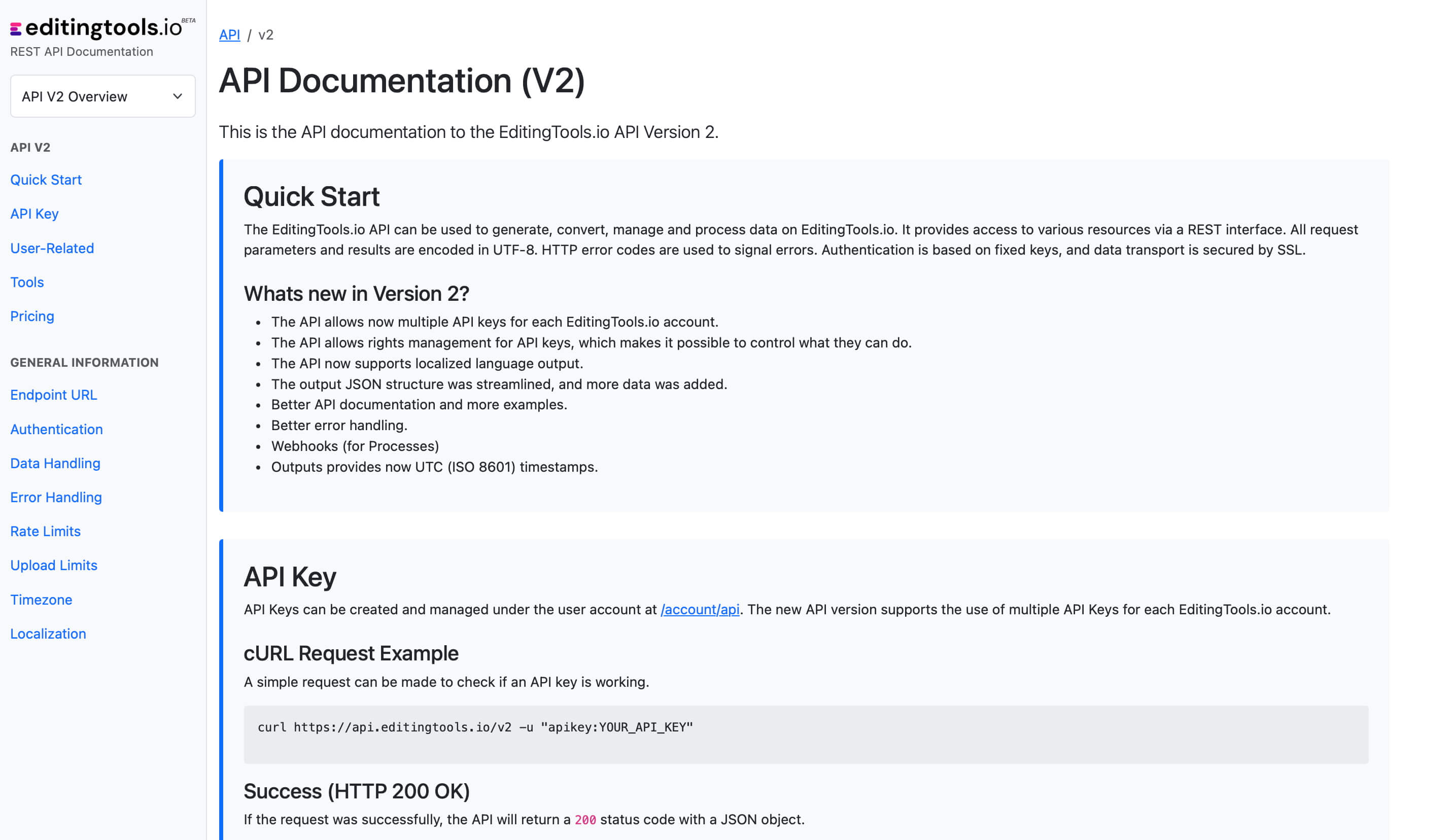
Whether you're a developer or just want to automate more processes with tools like Zapier or Make, you can easily integrate this tool into your workflows with our API. Learn more about integrating the REST API in our API documentation.

API Documentation